Five minutes for the talk. The same phone for the rest.
A foreman picks a topic, the crew reads it and signs on the spot, and the record seals itself so it can be proved two years later. Then the JSA, the walk-around, the pre-trip and the written safety program come from the same phone, and the office prints the packet a GC asks for.
Scroll to walk through it at your own pace.
Scroll, and the phone on the left follows the step you are reading. Nine steps, one meeting, start to sealed record.
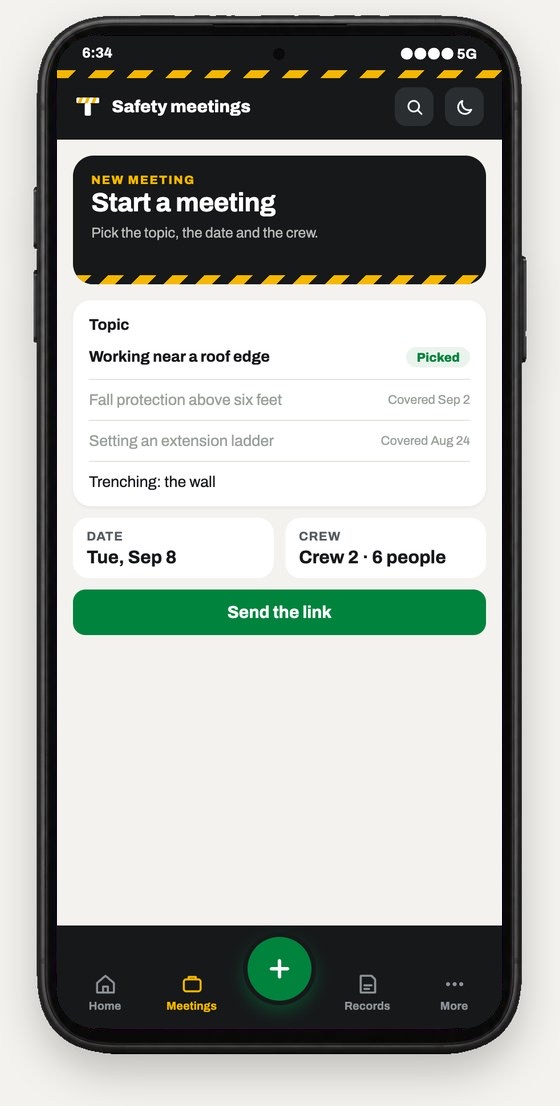
- 1 You create the meetingPick a topic, the date and the crew. Grayed-out topics were covered in the last six months, so the picker steers you somewhere new.
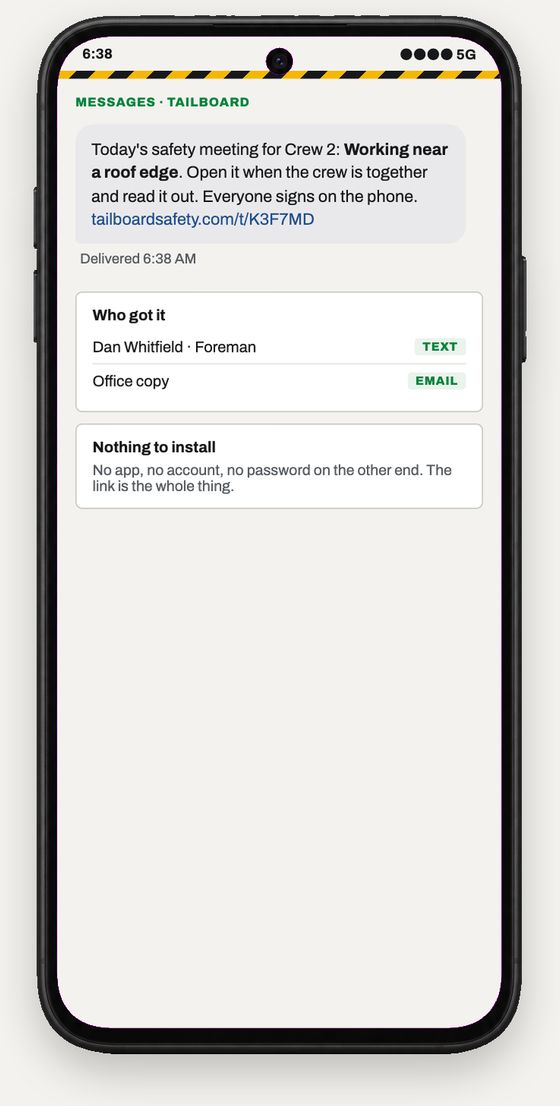
- 2 The link goes outIt goes by text or email, to whoever is running it. There is no app to install, no account and no password on the other end.
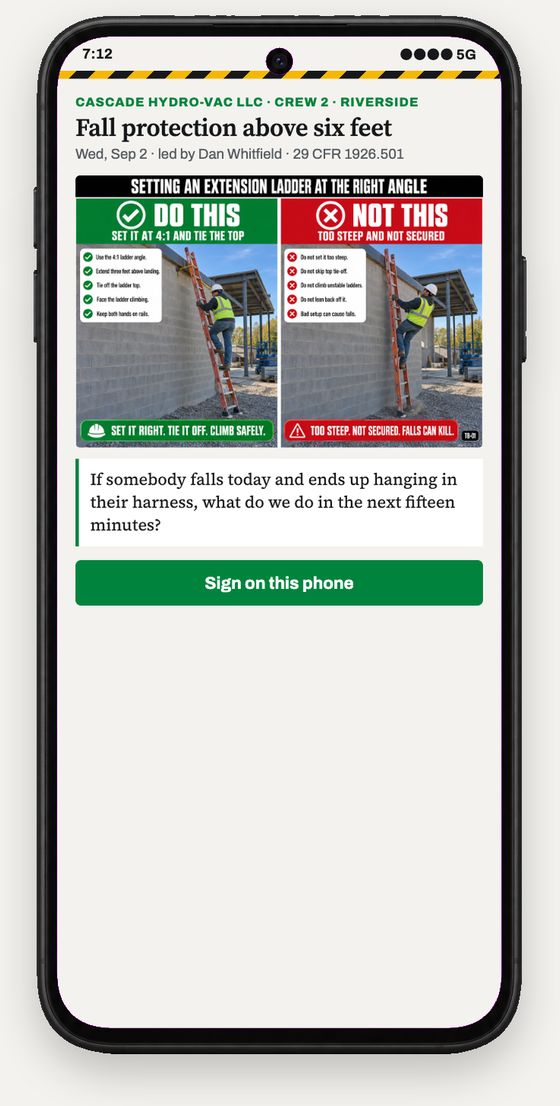
- 3 The foreman opens it on siteIt is the talk on a phone, four or five points and the standard it comes from. It takes about five minutes to read aloud.
- 4 The crew talks it throughThis is the part that matters. Everything else here is just making it easy to start and easy to prove.
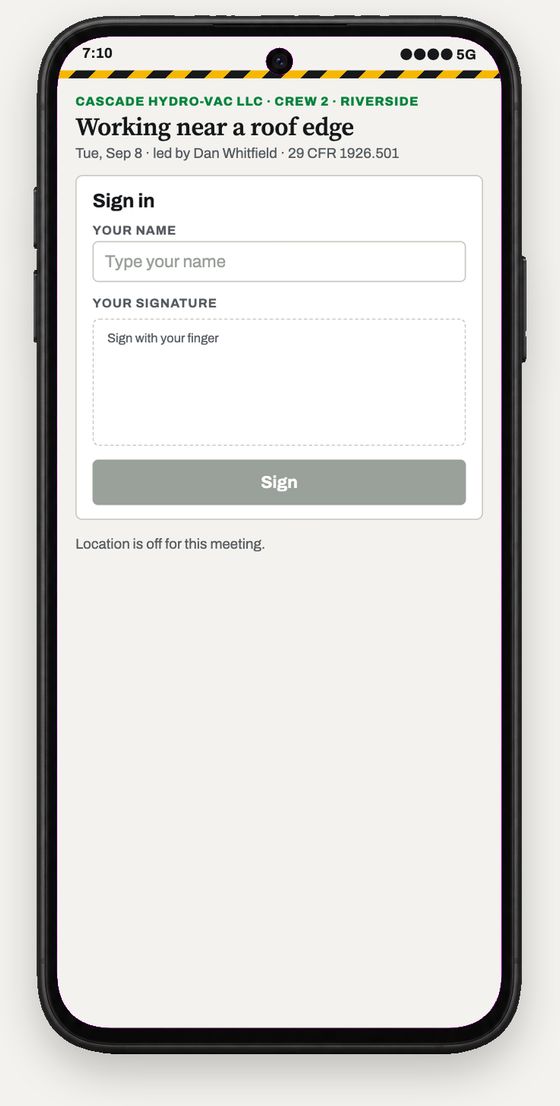
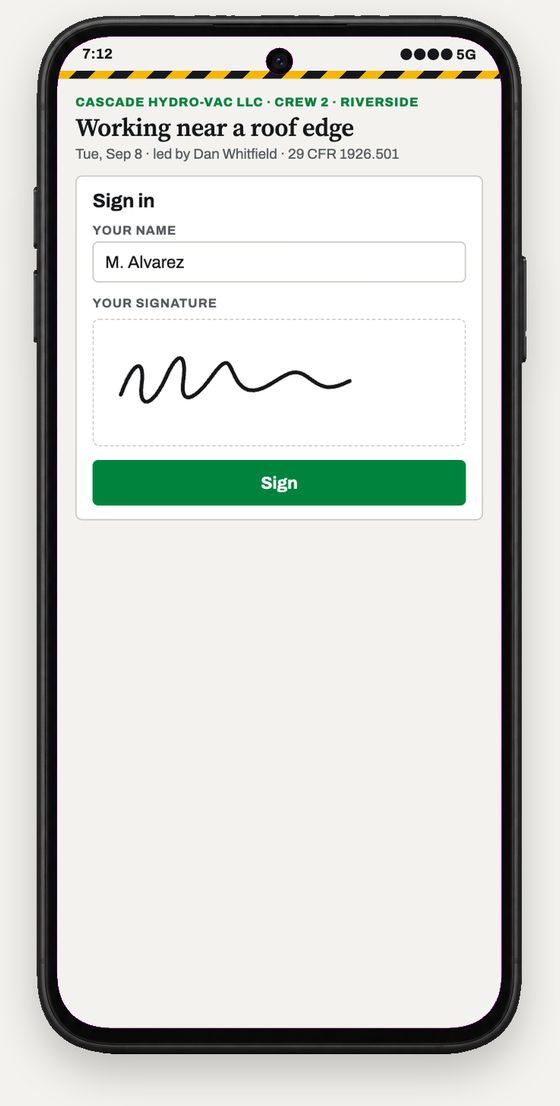
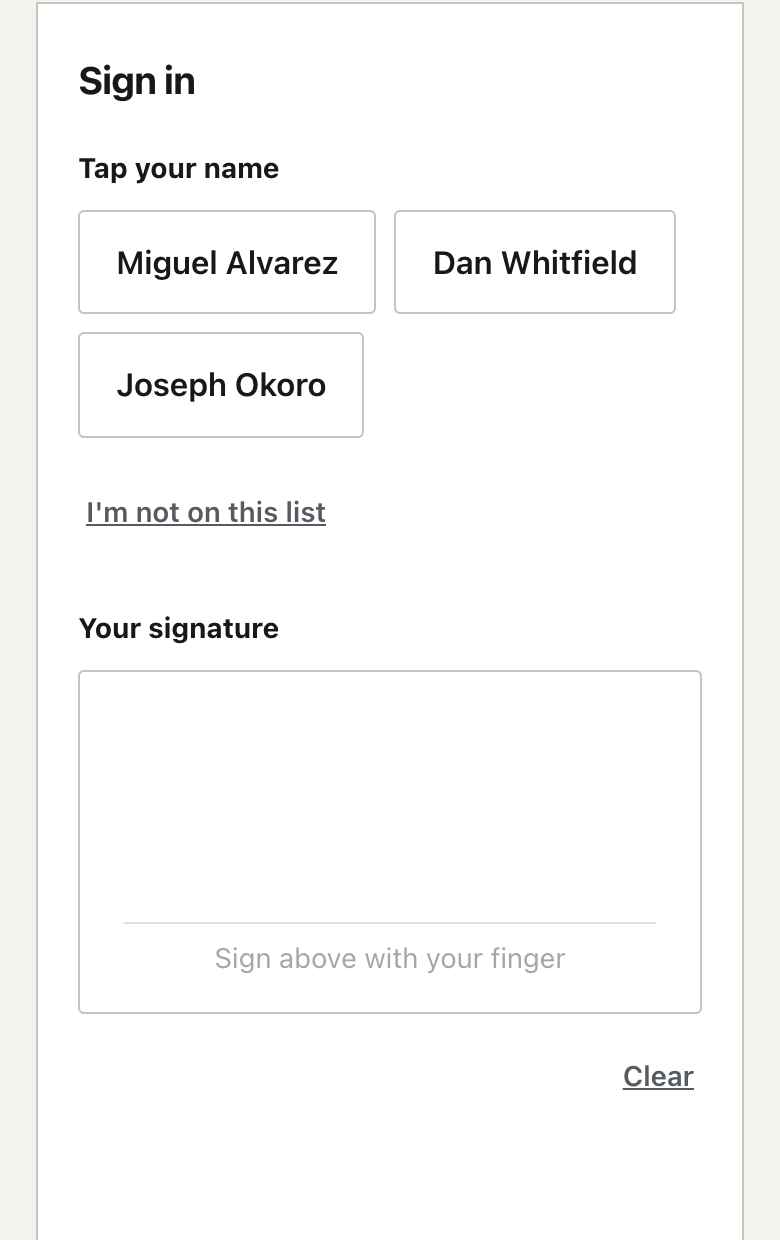
- 5 Everyone signsEach person puts a name and a signature on the glass. One phone is passed around, or everyone signs on their own phone at the same time on Company and Fleet.
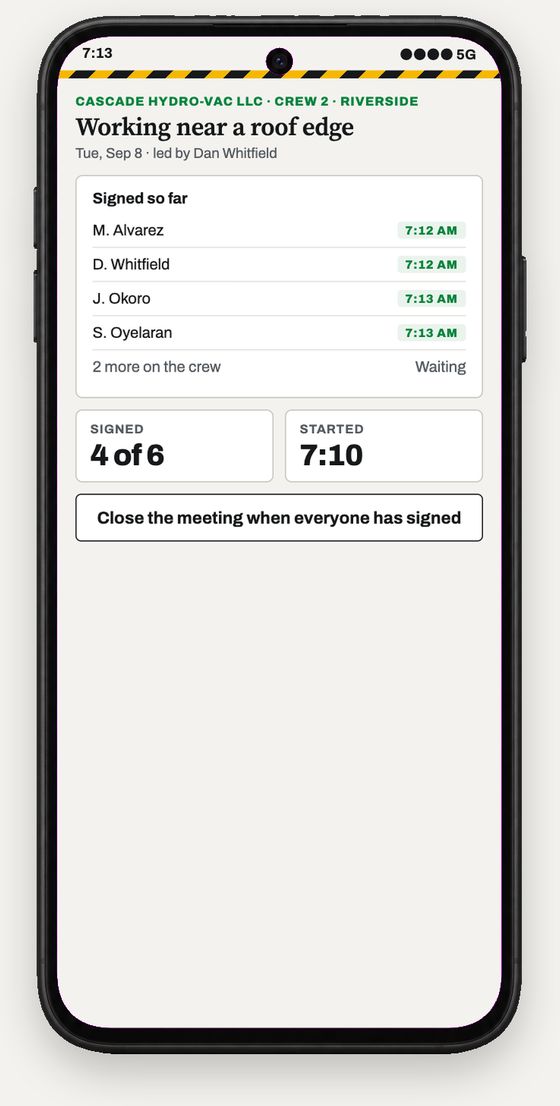
- 6 The count comes inNames appear as they sign. The timestamp is recorded per person, so the record shows when each of them actually signed.
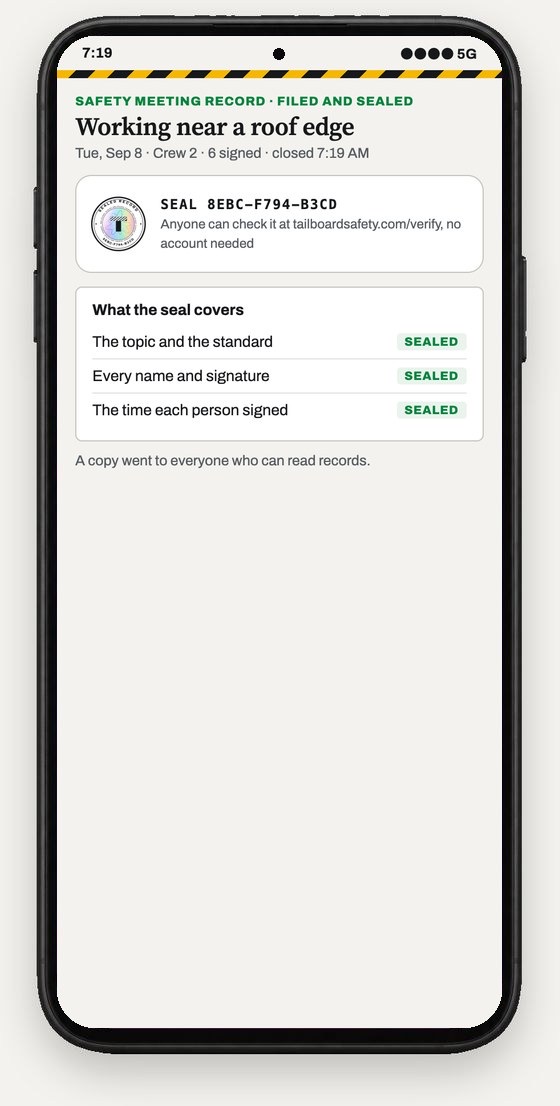
- 7 The record seals itselfOnce it closes, nobody can quietly change it, and anyone you hand the seal code to can check it at tailboardsafety.com/verify without an account.
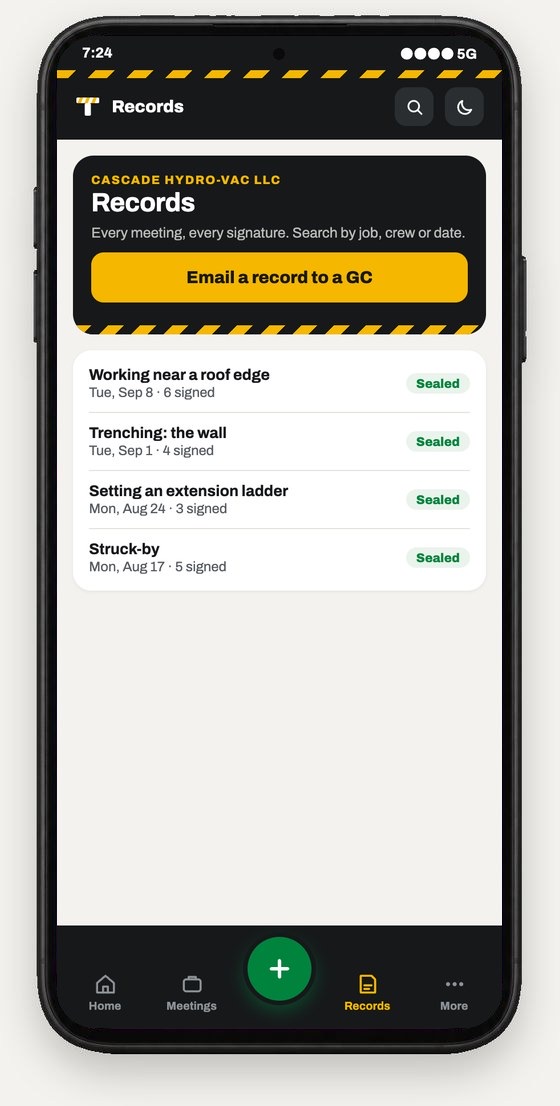
- 8 It lands in your recordsIt is searchable, and ready to email the moment a general contractor asks. Every seal code is emailed to you as well.
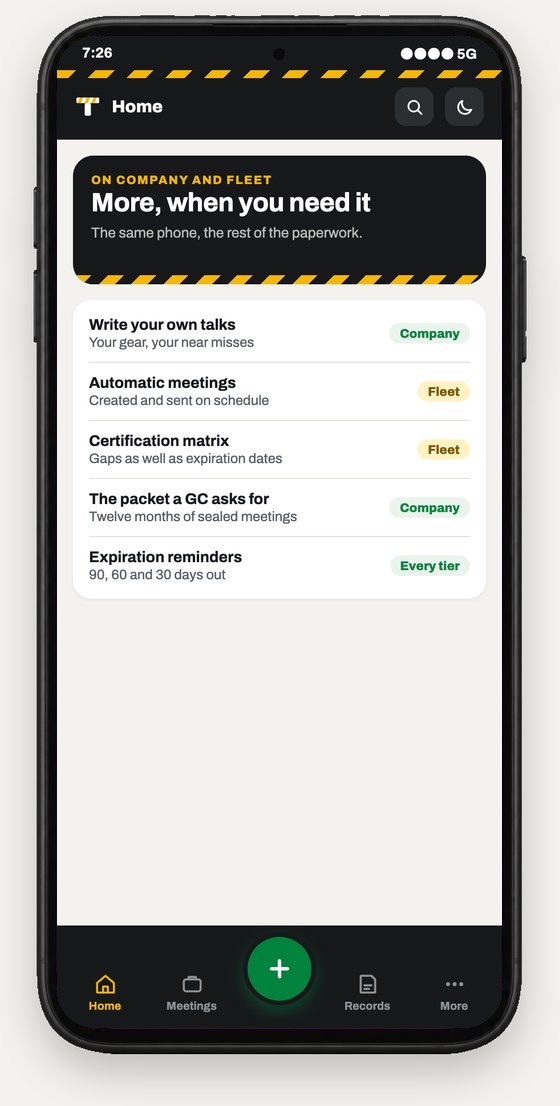
- 9 And there's more on the bigger tiersThey add your own topics, meetings that run themselves, and certification tracking with a register you can hand a GC.
The meeting is the start. Four steps.
-
01
Pick a topic
Pick one from the library, or write your own.
TopicWorking near a roof edgePickedFall protection above six feetCovered Sep 2Setting an extension ladderCovered Aug 24Trenching: the wall
-
02
Send the link
Send one text to whoever runs it.
Message sentToday's safety meeting: Working near a roof edge. Open it with the crew.
tailboardsafety.com/t/K3F7MD Delivered -
03
The crew signs
Each person signs on the glass.
Your signatureSigned
-
04
Record is sealed
It is dated, filed and ready to hand over.
Filed and sealedWorking near a roof edgeDateTue, Sep 8Crew6 signedSEAL 8EBC-F794-B3CD
The JSA, the walk-around, the pre-trip and the packet for a GC run from the same phone. The rest of this page shows each one.
What it looks like.
Real screens from the product, with example names. Pick a tab; the label says which plan it comes with.
- The talk, in English or Spanish, with the OSHA reference on it.
- Tap your name from the roster, or type it, and sign with a finger.
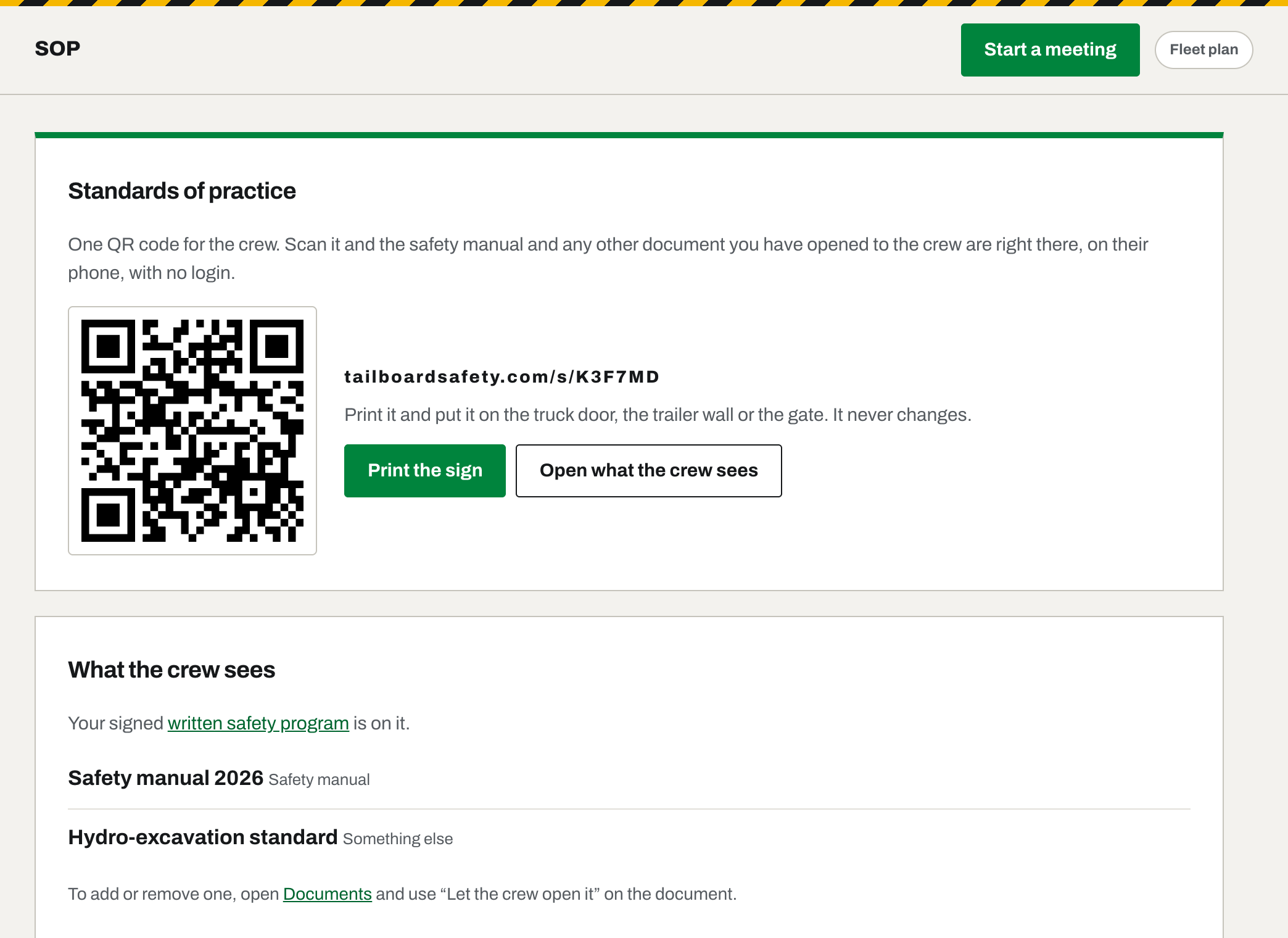
- The company's documents the office has opened to the crew, one tap away.
- Whoever runs the meeting files it from their account, and it seals.
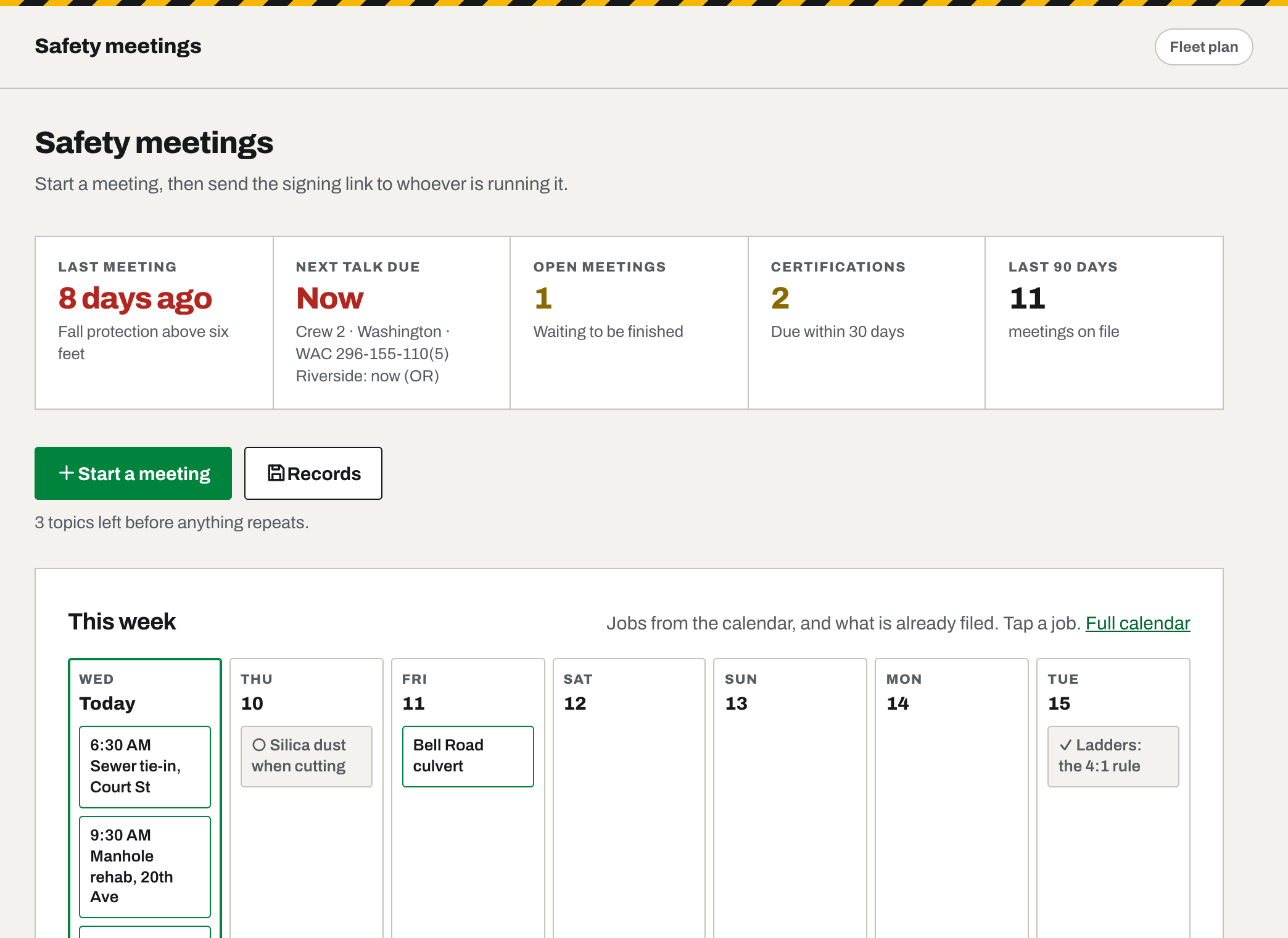
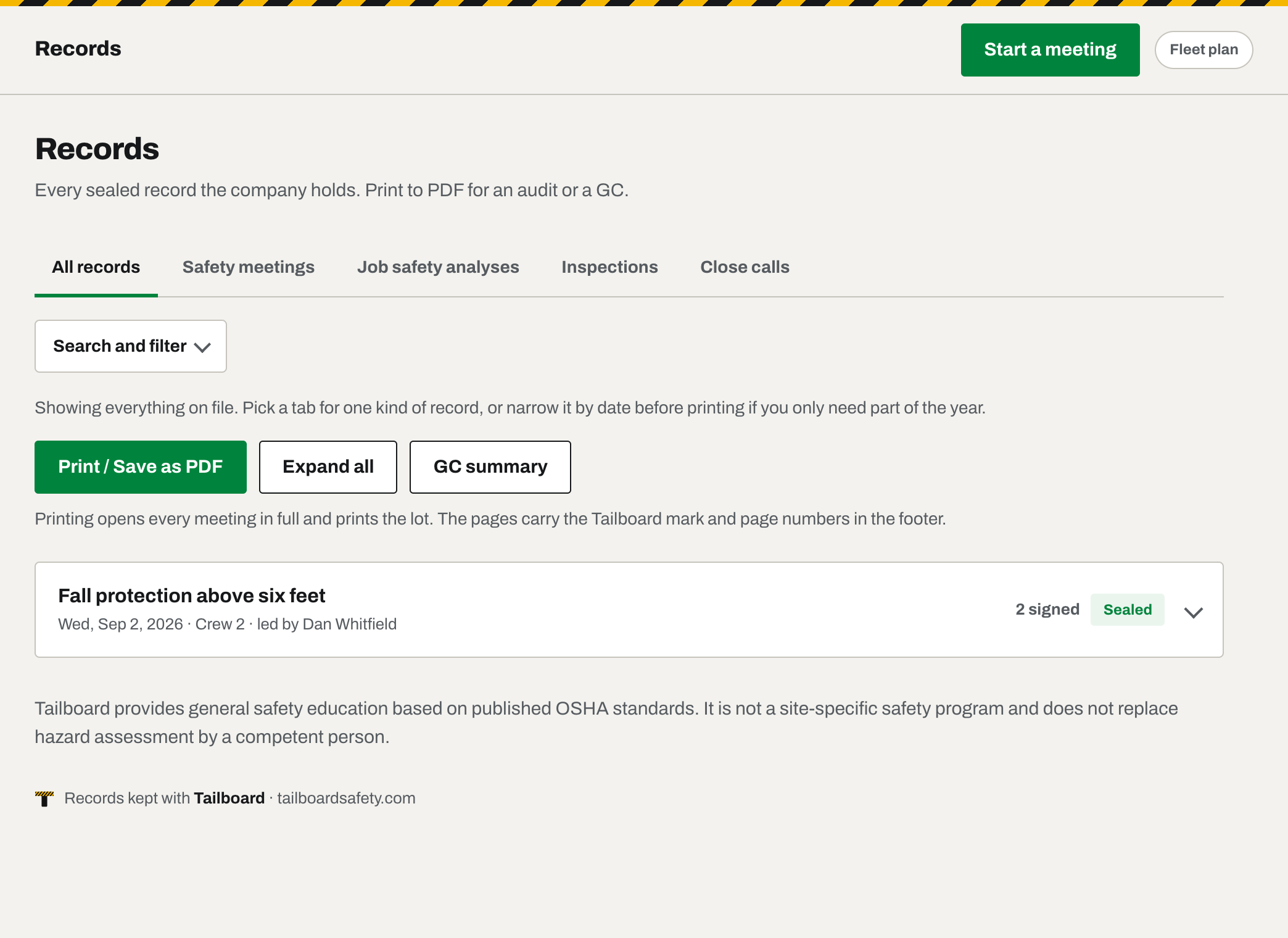
Every tier means Crew, Company and Fleet. See the full comparison.
What the crew never has to do.
The signing link asks nothing of the crew, on every tier. On Fleet you can also give them a crew page of their own: one QR code in the shop, an Employee ID and a four-digit PIN, and still never an account.
Install anything
It's a web page. They tap the link and they're on it.
Make an account
No password and no email. The signing link has nothing to remember; the Fleet crew page has a four-digit PIN. Either way they never cost you a seat.
See anything else
On the signing link, one talk and one signing box. On the crew page, only their own tiles: today's talk, the analysis, their miles and the manual. Never the office's records or settings.
Give up their location
It is off unless you switch it on. If you do, the page says so before anyone signs, and declining still lets them sign.
The same way for the rest of it.
A meeting is the thing you do every week. These are the things you do when the job calls for them, and they work the same: a link, a signature, a seal.
The paperwork a GC asks for
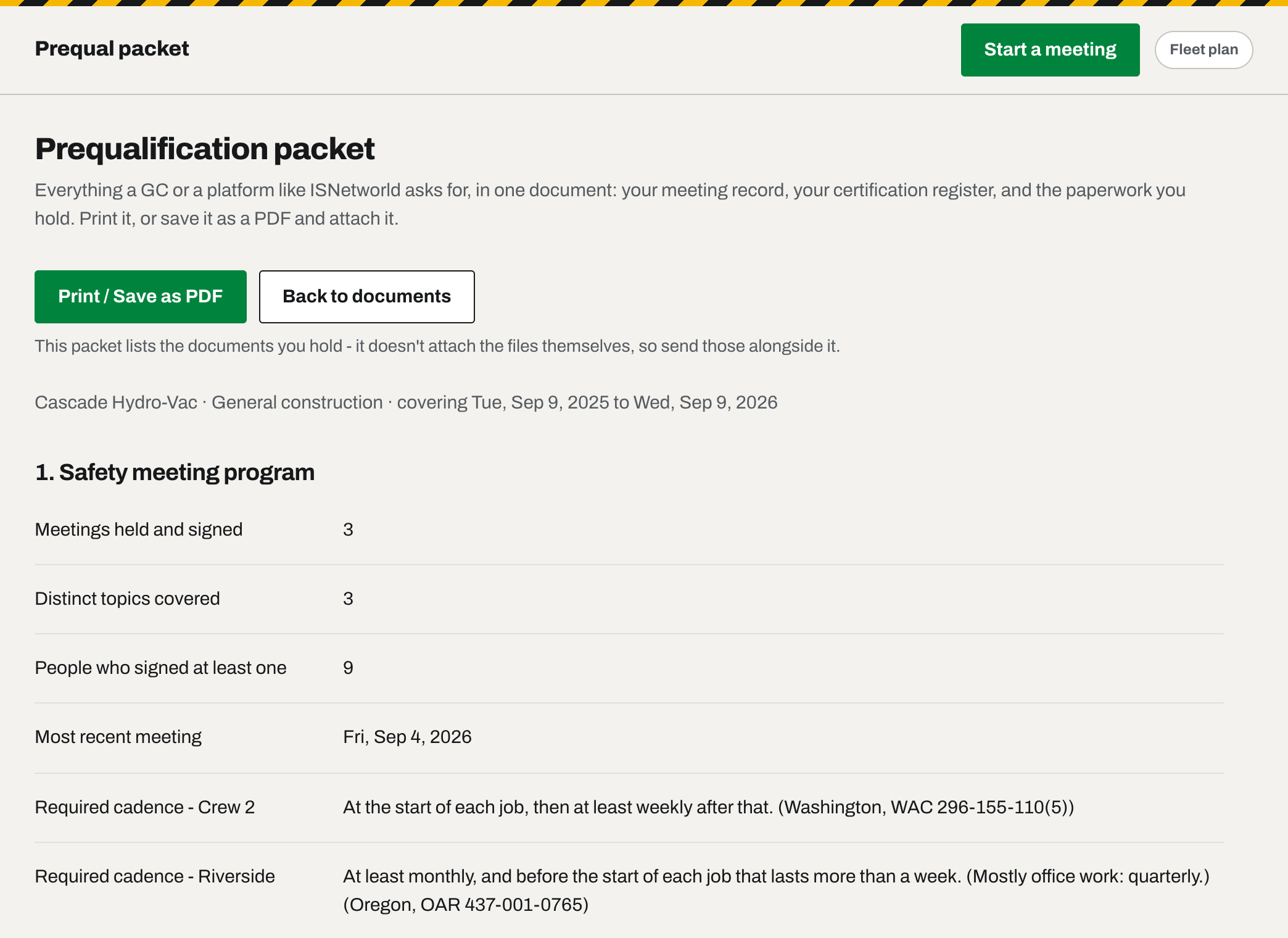
Certificate of insurance, license, EMR letter and safety manual, each with its expiration date, live in Documents. The prequal packet prints them as an index with twelve months of sealed meetings and the certification register - one document to send the day a GC asks.
The job paperwork, by whatever name
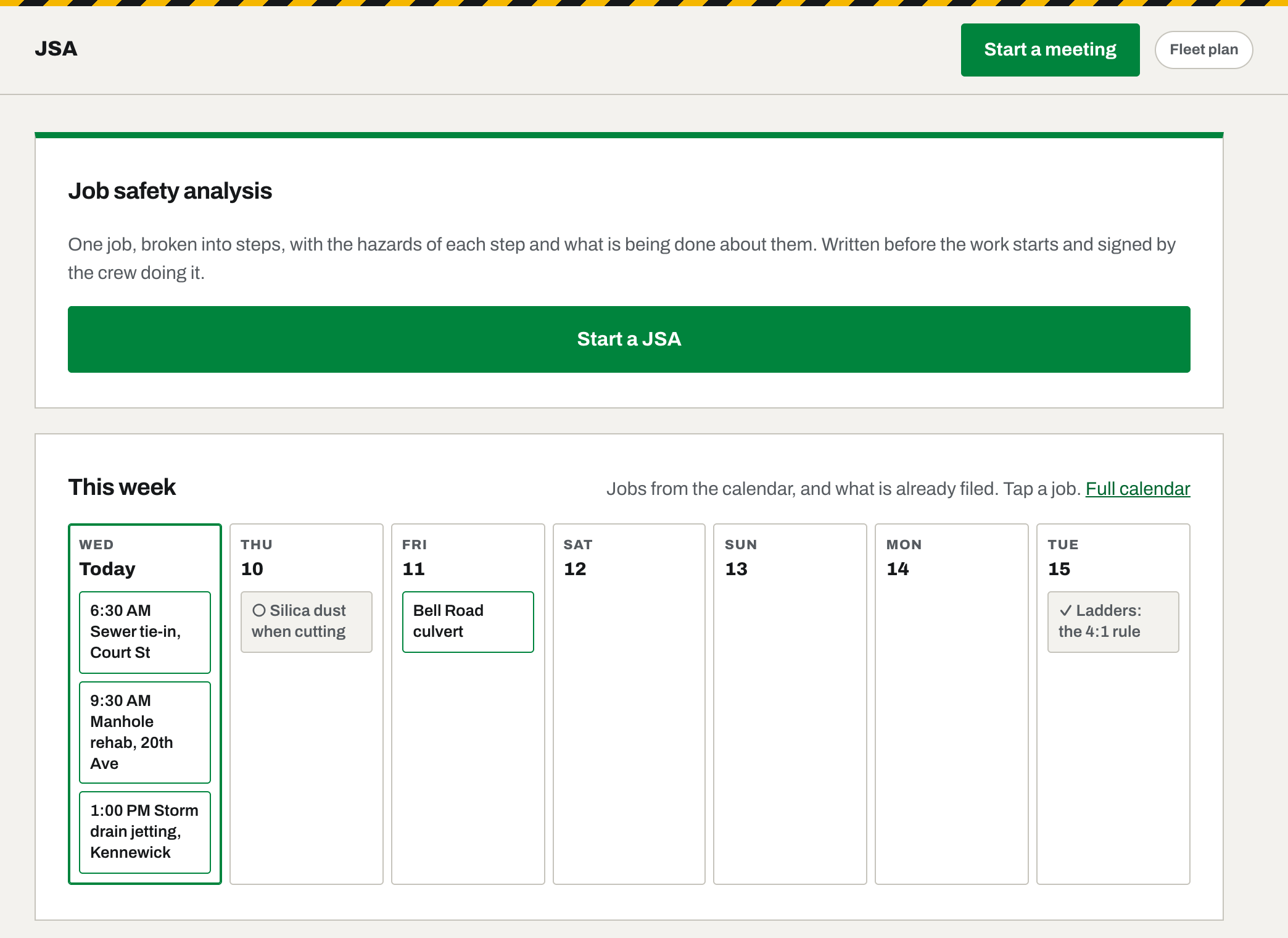
It is a JSA, JHA, AHA or pre-task plan - named the way your state names it. Hazards, PPE and the controls in place are checklists, the crew signs on the tailgate, and the filed record carries the hazard-assessment certification with the job, the address, who assessed it and the rule your state applies.
Jobs from the calendar you already keep
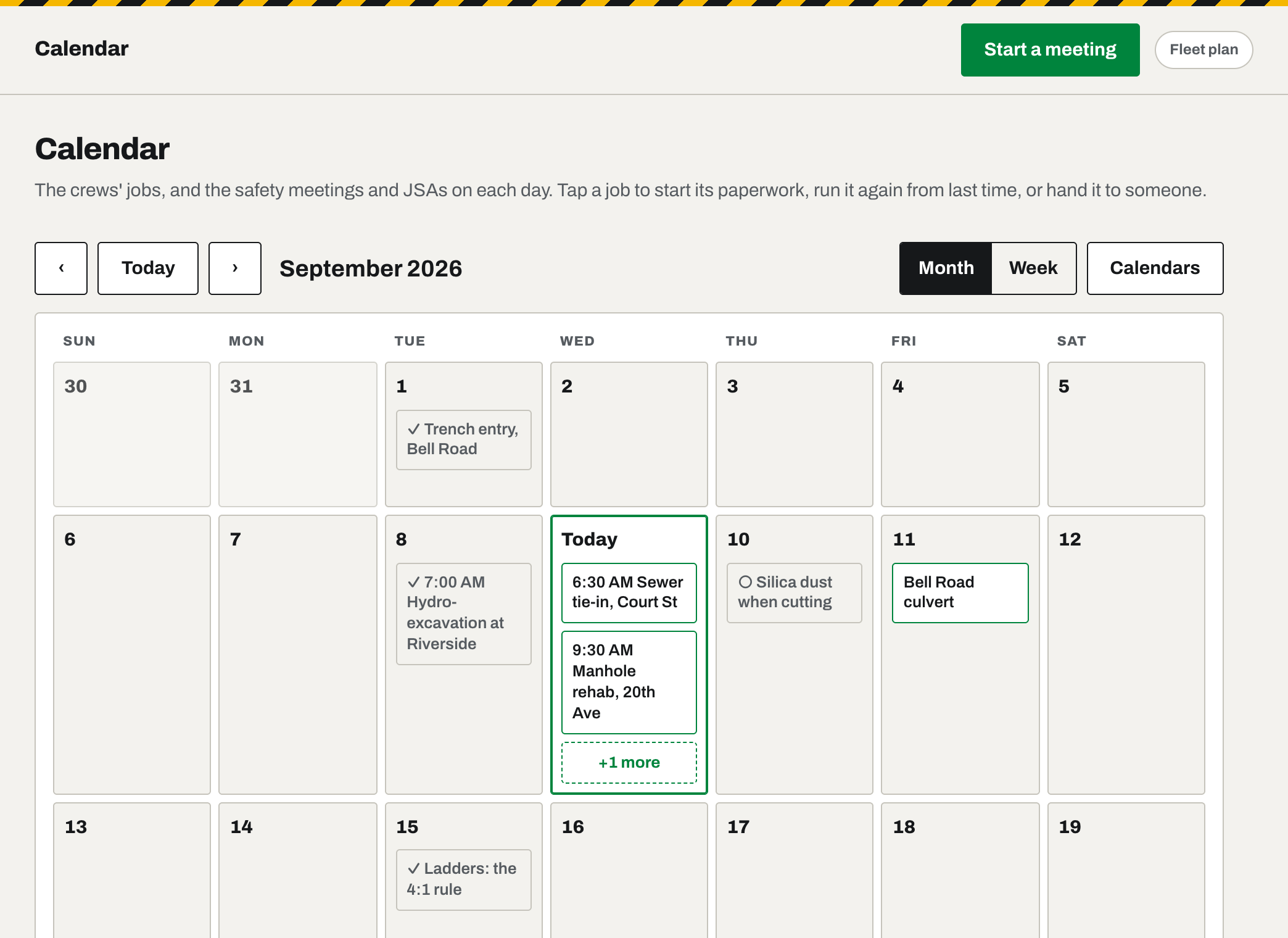
Link the Google, Apple, Outlook or Cozi calendar a crew's jobs live on. Tailboard reads it and puts every job on a calendar of its own, with the safety meeting and the JSA one tap away, or last time's paperwork dated for today. Assign a job to someone and they get one email. Nothing is written back to your calendar.
A written safety program, from a wizard
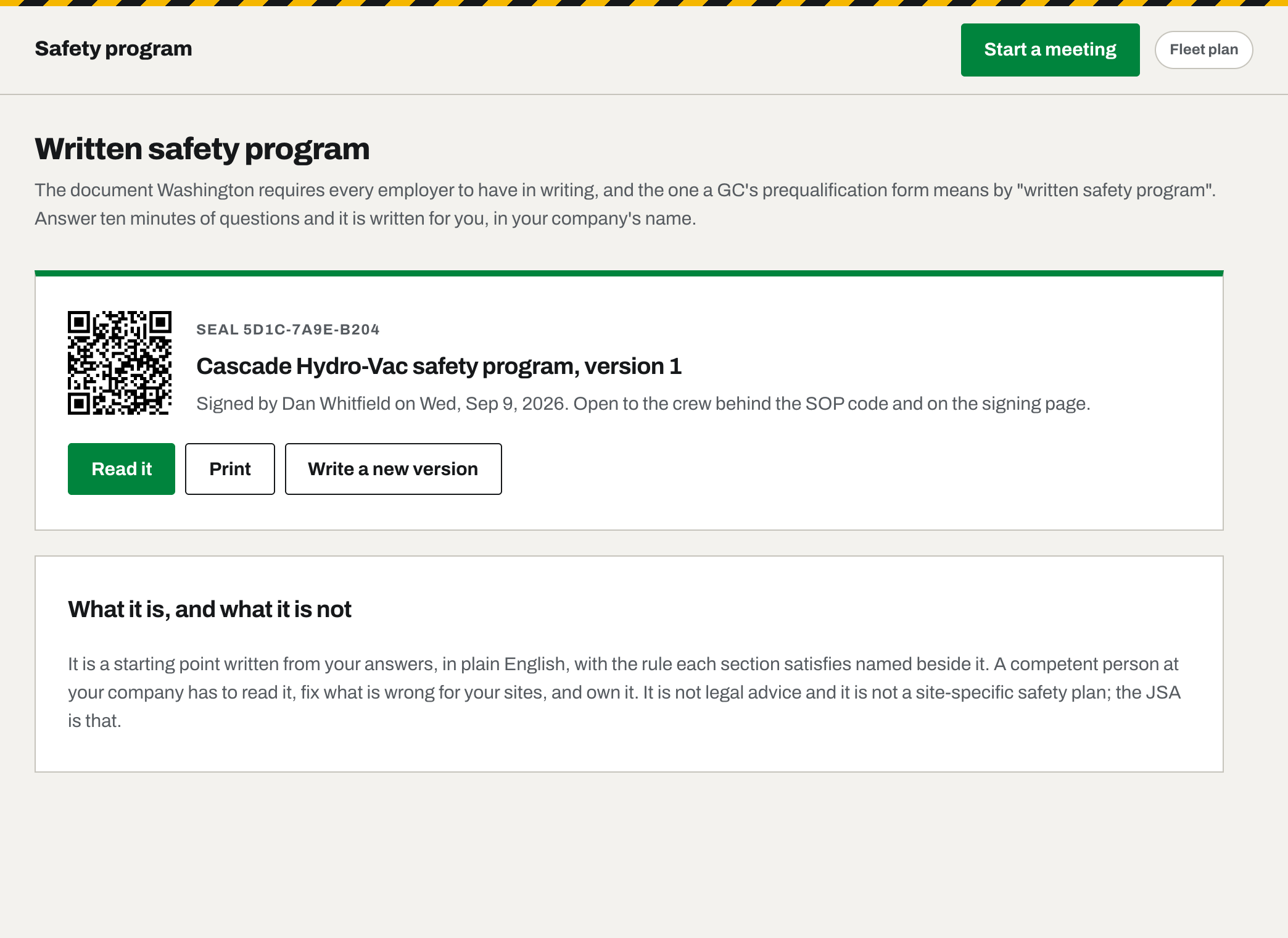
Washington, California, Minnesota, Nevada and Hawaii each require one in writing, and a GC's prequal form asks for it everywhere. Eight short steps, most answers already filled in from your trade, your state and your roster, and it writes the program your state asks for - the Accident Prevention Program, the IIPP, the AWAIR program - in your company's name, naming the rule each section satisfies. The Owner signs, it seals, and the crew can read it from the SOP code.
The inspections a competent person signs
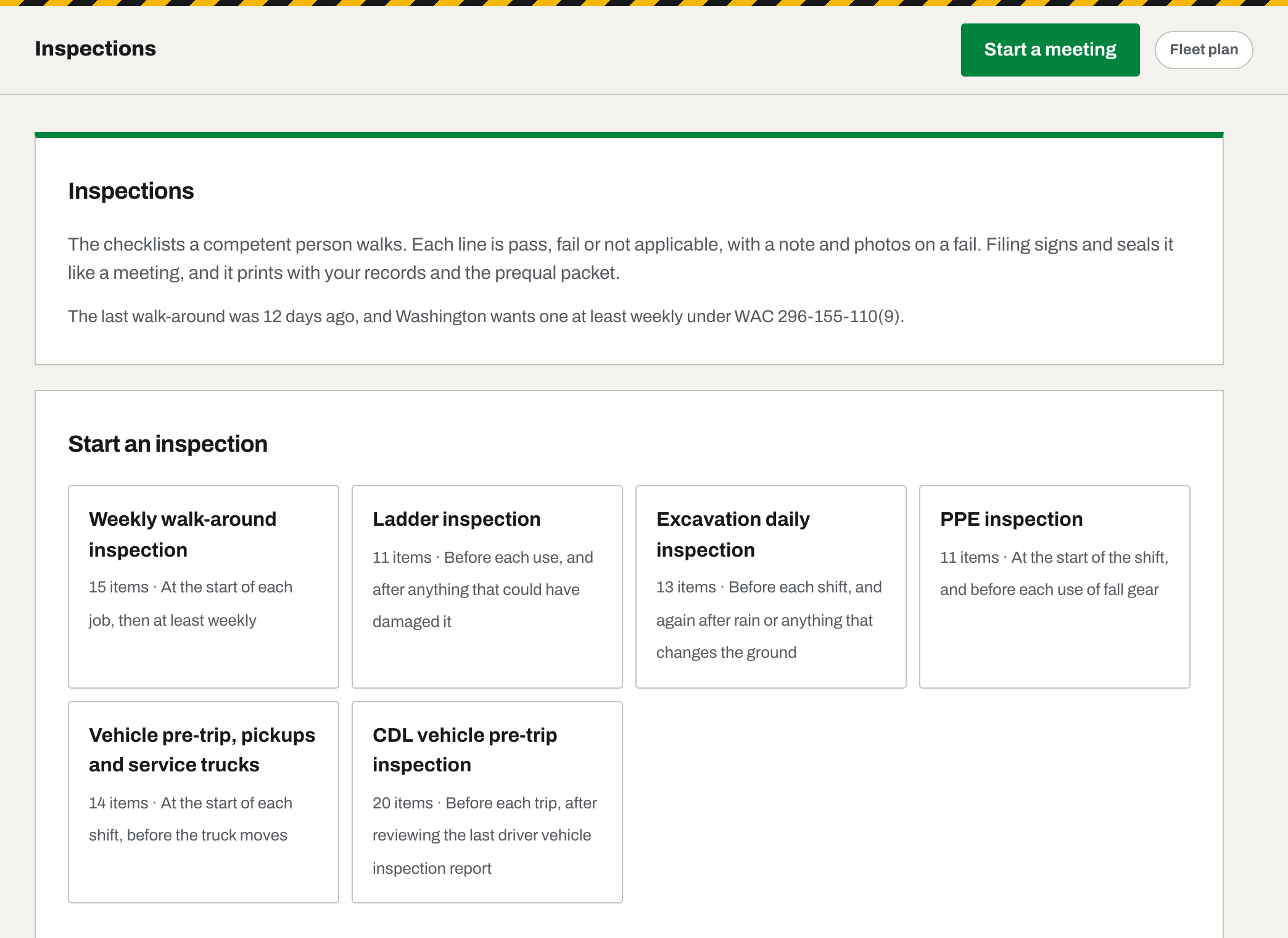
It covers the weekly walk-around Washington requires at the start of each job and weekly after that, plus ladder, daily excavation, PPE, a pre-trip for the pickup and a CDL pre-trip that follows the DOT rules. Each line is pass, fail or N/A. A fail opens a box for what was wrong and what was done, with room for photos. The inspector signs, it seals like a meeting, and it prints with the records and in the prequal packet.
Every truck and machine, with its own record
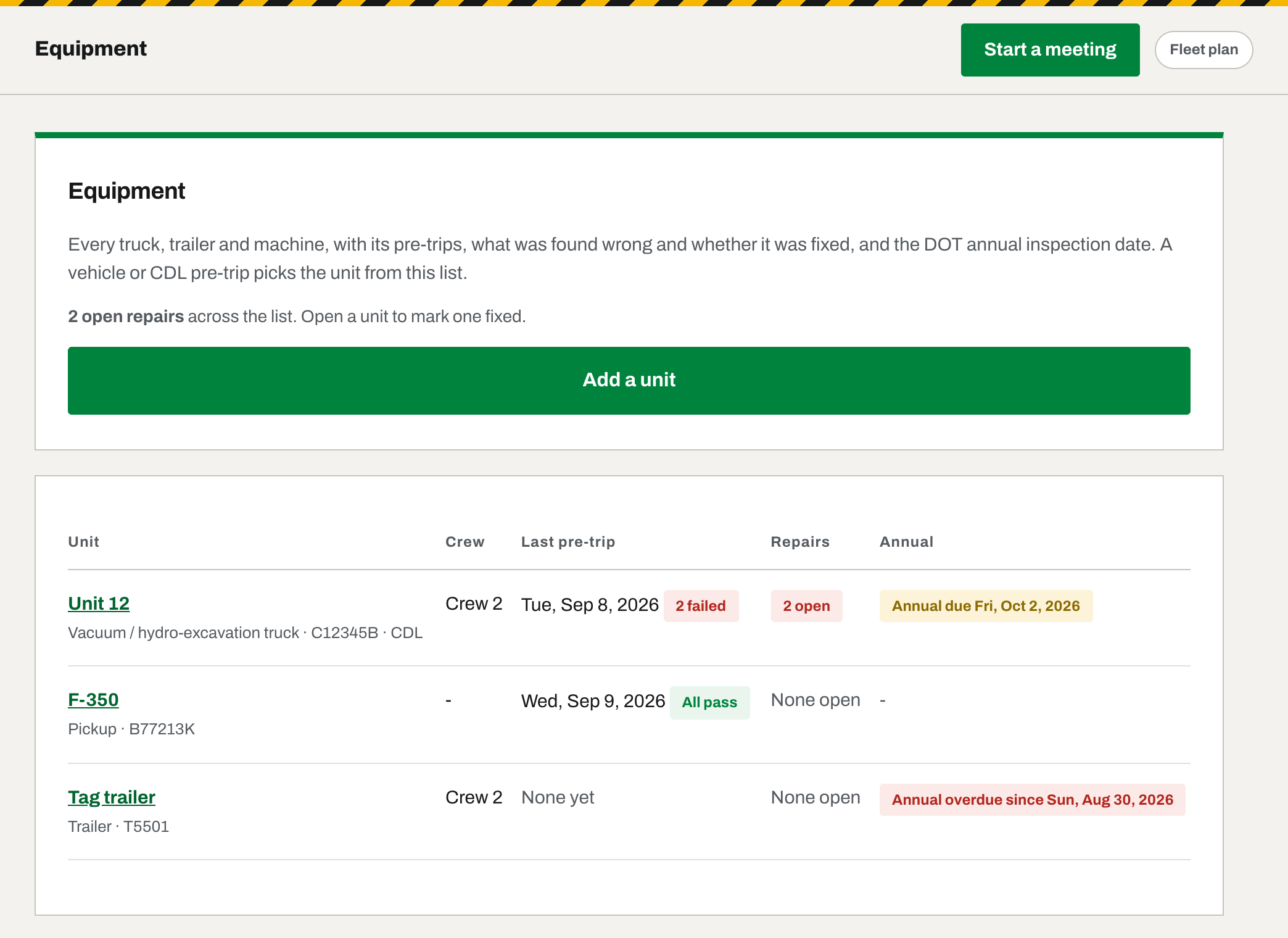
Add the units once. A vehicle or CDL pre-trip picks the unit from the list, every failed line becomes a write-up against that unit until it is closed out, and the unit's page is its whole history. The DOT annual inspection date gets a reminder at thirty days, seven days and the day it lapses.
The shop closes it out, and it seals
Closing a write-up means naming who did the work: your own people, ticked off the roster, or an outside shop by name. The invoice or a photograph of it goes on with it, somebody on the safety team signs, and the whole thing seals the way a meeting does - so a year later the answer to "who fixed that brake, and where is the paper" is one page. Anything learned afterwards is added underneath; the sealed record itself never changes. Scheduled maintenance is filed the same way, so a truck's history is one list.
Miles and PTO hours, split at the state line
The driver names themselves, does the pre-trip - the DOT one on a CDL truck, a walk-round on anything else, with the last report on that unit put in front of them first - and only then reads both meters, signs, and takes it out. Both meters again when it comes back, and a signature at each end. The next log opens at the figure the last one closed at, so a gap between them is recorded as unlogged use rather than quietly swallowed. Days worked out of state are split at the line for the fuel-tax return, and it all comes out as a spreadsheet or a CSV. A correction is added to the record and flagged; it is never written over the top of what was signed.
The last report, in the driver's hand
Before a driver signs today's pre-trip, the previous report on that vehicle comes up with any defect still open on it, and they tick to say they have reviewed it. That review is the part 49 CFR 396.13 asks for and the part a paper binder almost never has, because fetching yesterday's sheet is a step everyone skips.
A page for the people who run it
Your safety team have accounts, so they get a dashboard rather than a code - the four or five things they actually do, sized for a phone held in a glove. Start a meeting, write the job analysis, close out a write-up, check the miles a driver filed that did not add up. You choose what sits on it, and each of them still only sees what their own role allows.
A page the crew reach without being sent anything
One QR code taped up in the shop, an Employee ID and a four-digit PIN. From it the crew reach today's talk, the analysis, their miles and the safety manual, and it saves to their phone like an app. Nobody in the office forwards a link, and nobody on the crew becomes a user account. They still cost you nothing.
Crews with a state of their own
An outfit working both sides of a state line gives each crew its own state. The dashboard shows a clock per crew, the packet prints a cadence per crew, and every record cites the rule for where that crew actually was.
Certifications that don't lapse quietly
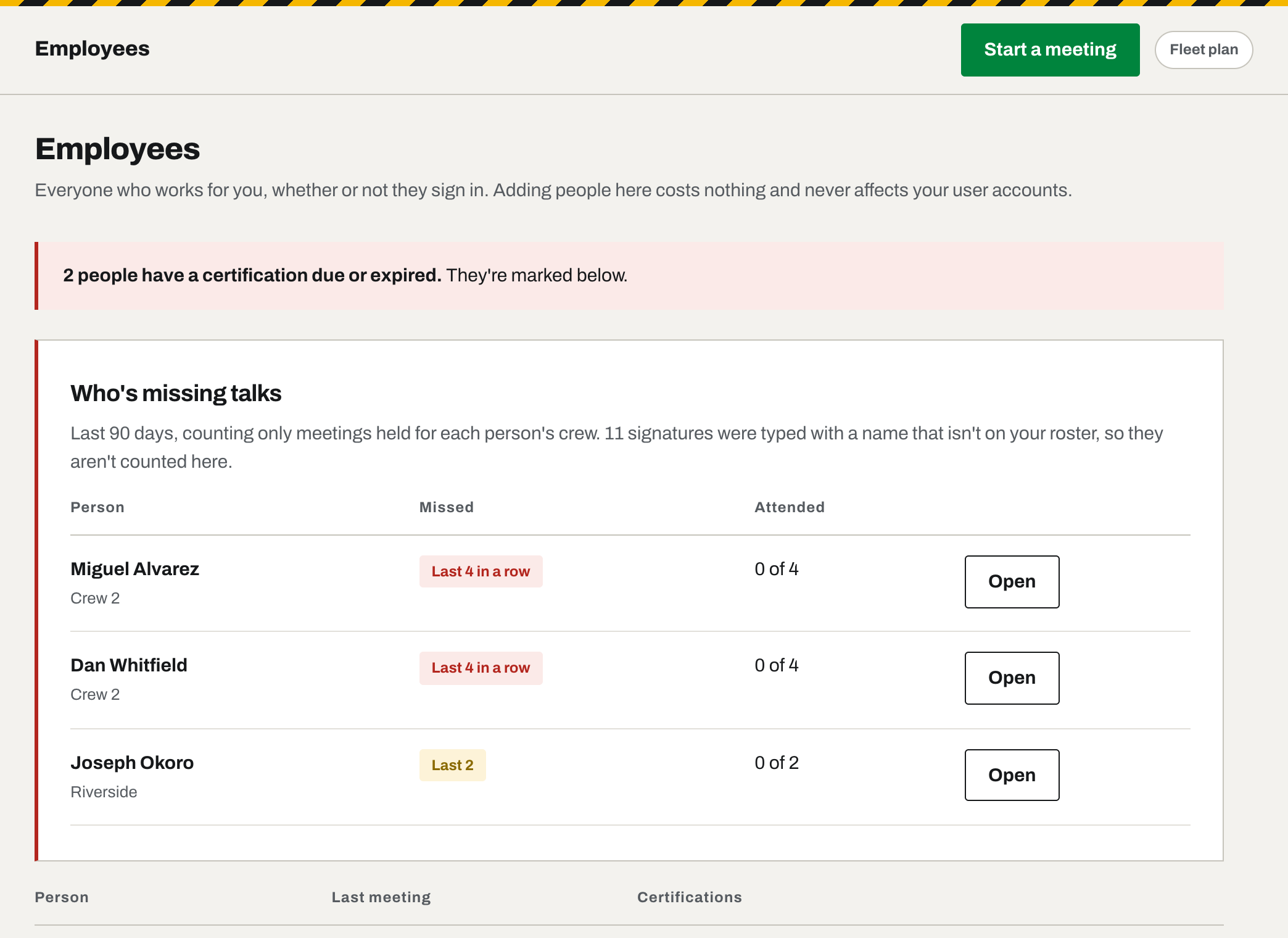
It tracks every card each person holds, with its expiration, and reminders go out at the stages you set. On Fleet it also knows what each job role needs, and Employees prints a register a general contractor can read at a glance.
Nobody can quietly change it.
That includes your office, and it includes us.
Every record is sealed when it closes
Once it closes, the topic, every name, every signature and every time are fixed. Nobody edits a sealed record, and that includes us.
Anyone can check it
A GC or an insurer types the seal code at tailboardsafety.com/verify and sees whether it's been touched. No account needed.
You hold your own copy
The seal code is emailed to you the moment it's created, so proof sits in your inbox, outside anything we control.
Why it matters
If someone gets hurt, the question is whether the training happened before the injury. A record that can be edited afterward doesn't answer that. This one does.
The meeting is the start of it.
The rest of a small outfit's safety paperwork lives in the same place, and seals the same way.
Company
The paperwork a GC asks for
Certificate of insurance, license, EMR letter and safety manual, kept with their expiration dates and printed into one prequalification packet with twelve months of sealed meetings and the certification register. Send it the day it is asked for. How the packet is built.
Company
Job safety analysis
The foreman fills it in on the tailgate: the hazards on this job, the PPE, who is on it and where to meet if it goes wrong. Twenty-five templates, from hydro-excavation and trenching to electrical, concrete and tree work, each citing the rule it rests on. The crew signs it like a meeting and it seals like one.
Company
Your safety program, in your name
A ten-minute wizard writes the Accident Prevention Program your state asks for, in your company's name, and seals it. The crew read it from a QR code on the shop wall, and you hand the same document to a GC.
Every tier
Roles that match a job site
Owner, Superintendent, Office, Safety officer and Foreman, each seeing what their job needs and nothing else. The office never runs a meeting; the safety officer never touches billing.
Company
Your own topics, and who has not had them
Write the talk your own job needs - what went wrong last week, the way your shop does a job - and it sits in the library beside the rest. The office sees who is behind, by name, before the end of the quarter.
Company
Told the moment it's filed
When a meeting closes, the sealed record lands in the inbox of everyone who can read records. Nobody goes looking, and the proof sits outside anything we control.
And everything with wheels on it.
If you run trucks, the DOT paperwork is the half that bites. It is on Fleet, and it is most of what Fleet is for.
Fleet
Miles and PTO hours, split at the state line
Both meters at each end of the day, signed going out and coming back. Out-of-state days are split at the line for your fuel-tax return, and it comes out as a spreadsheet. A gap between one driver's close and the next one's open is recorded as unlogged use, and a correction is added to the record, never written over it.
Fleet
The last report, in the driver's hand
Before a driver signs today's pre-trip, the previous report on that vehicle is put in front of them with any defect still open, and they tick to say they reviewed it. That is what 49 CFR 396.13 requires, and the line an audit looks for.
Fleet
Eight inspections, signed and sealed
Weekly walk-around, ladder, excavation, PPE, the vehicle pre-trip and a CDL pre-trip written to the DOT rules, and for fuel outfits a fuel transfer check and a storage tank walkthrough. Pass, fail or N/A on every line, a photo where it failed, and a fail becomes an open repair against that unit.
Fleet
Every truck, trailer and machine
Each unit with its pre-trips, open repairs and DOT annual inspection date, so the overdue one is the one on the screen. Retire a unit and it stays in the history, because a record of a truck you sold is still a record.
Fleet
The shop closes it out, and it seals
A defect is closed out by naming who did the work - your own people off the roster, or the shop down the road - with the invoice or a photo on the record, signed by the safety team and sealed like a meeting. Scheduled maintenance files the same way, so a truck's history is one list.
Every tier
A page for the people who run it
Your safety team have accounts, so they get a dashboard of their own: the four or five things they actually do, big enough to hit in a glove. You choose what sits on it; each of them still sees only what their role allows.
Fleet
A crew page of their own
One QR code in the shop, an Employee ID and a four-digit PIN, and the crew reach today's talk, the analysis, their miles and the safety manual without anyone forwarding anything. It saves to their phone like an app, and it is never a seat.
Fleet
Who is certified, and who is about to lapse
The certification matrix across the whole crew, what each role must hold, and a compliance register you can hand a GC. Jobs read from the calendar your crews already keep.
Read one before you decide.
There is a full talk on the home page, with nothing held back.